Messages

Display alerts inline

Purpose

Messages display nondisruptive alerts to notify users of important information or requirements relevant to the page they are accessing and/or its content.

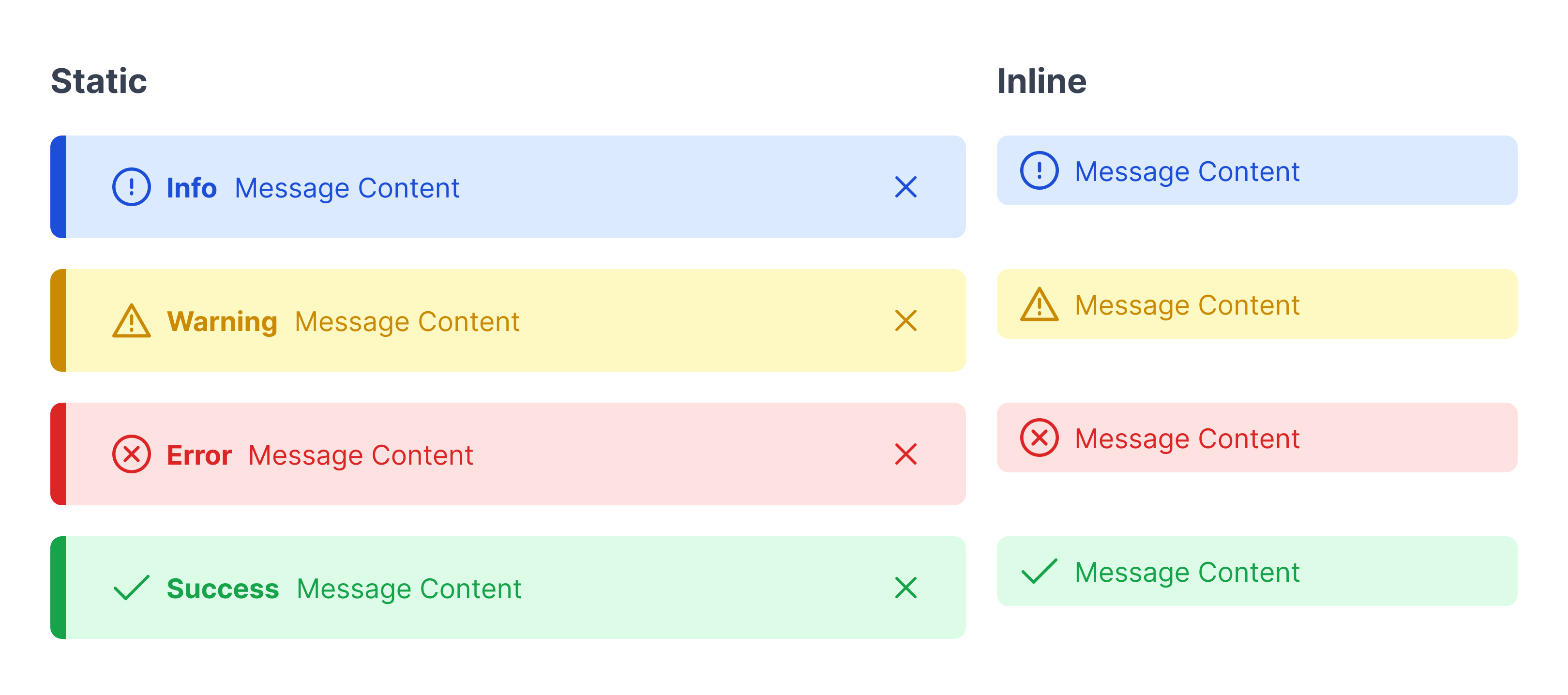
Types of messages:

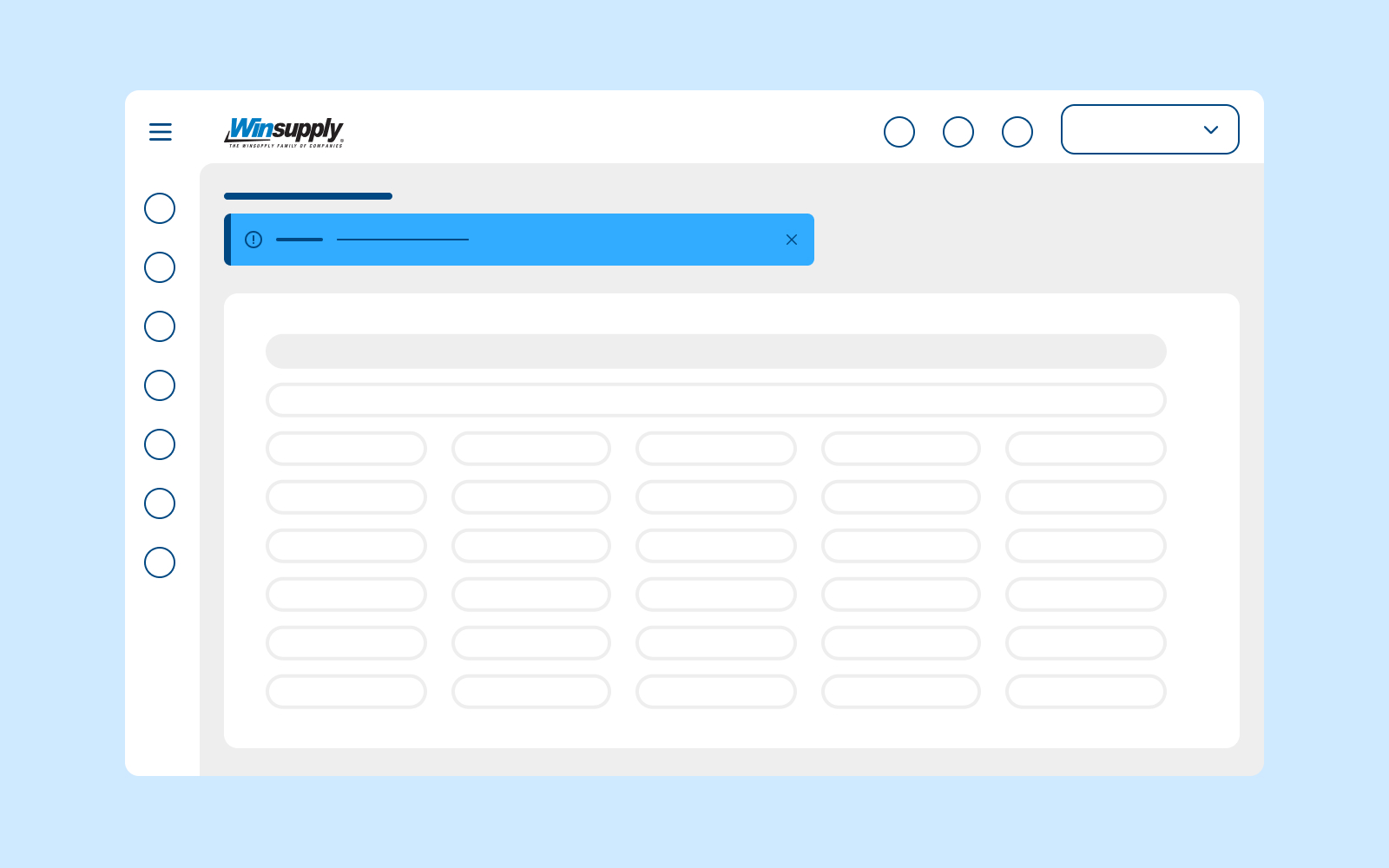
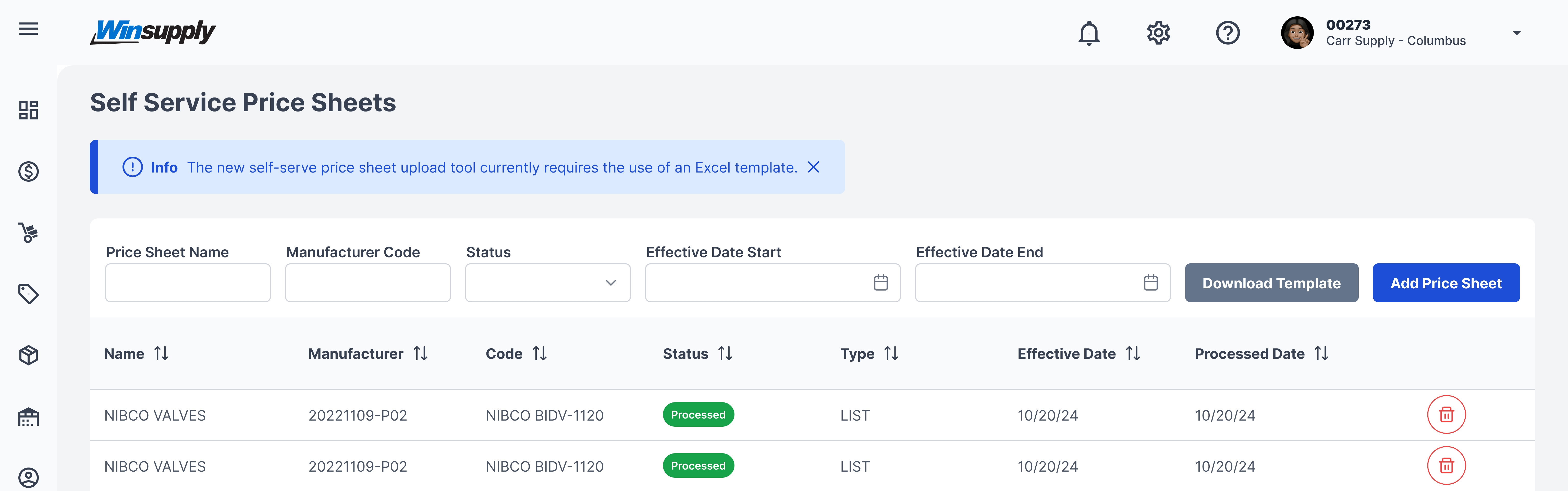
  • Static: Relevant to an entire page, application section, or modal, and can be dismissed by the user via the close icon.
  • Inline (variant): Relevant to surrounding content and is not dismissible. Can be placed above, below, or to the right of content.

Severities:

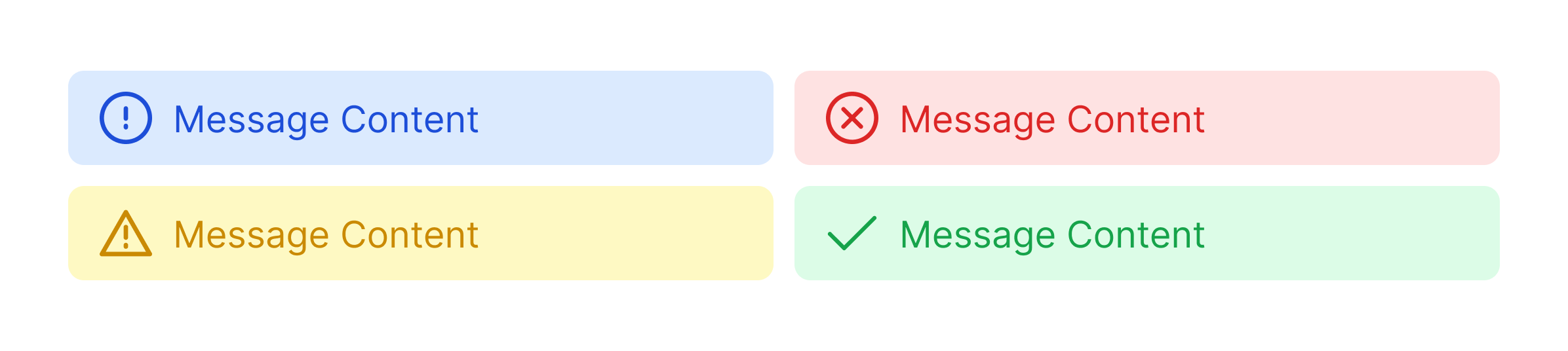
  • Information: Provides a user with high-priority information with no action required.
  • Warning: Alerts a user before they take an action, giving caution to potential results.
  • Error: Explains a problem that has occurred and offers guidance to next steps.
  • Success: Confirms an action has been completed as intended.
  • Urgent (not pictured): An additional severity only used in Warehousing to alert a user that immediate action needs to be taken to fulfill an order that has been created.
Usage

When to use
  • Alerting a user of different severities of actions, information, errors, or successes on a single page or within a page's content.
When not to use
  • Message is not relevant to page or surrounding content.

Video Recap

Best Practice

Example One

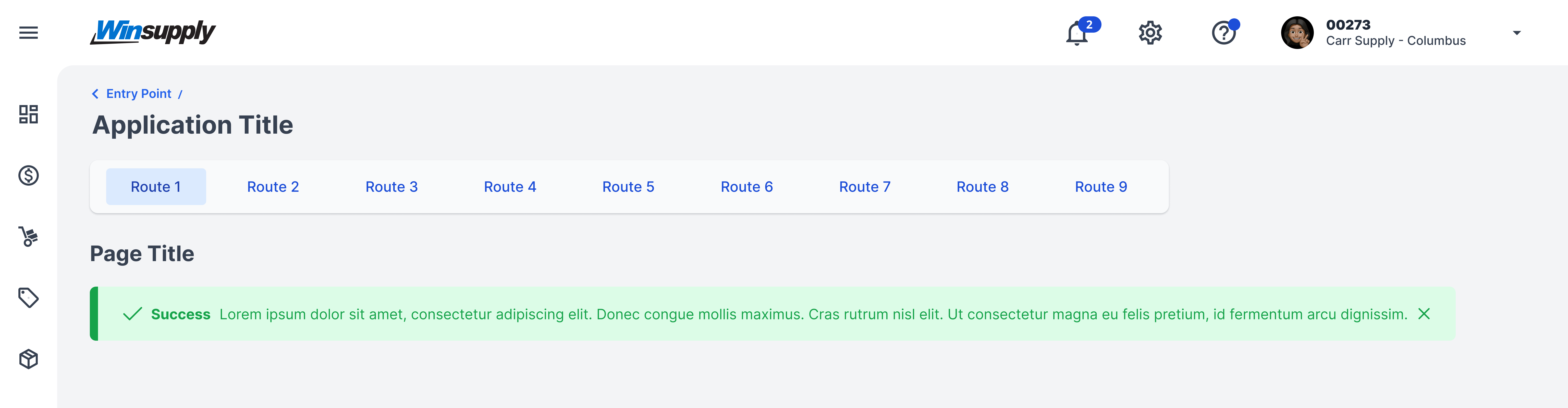
Left-align static messages and place them above the content and below the title or label.

Example Two

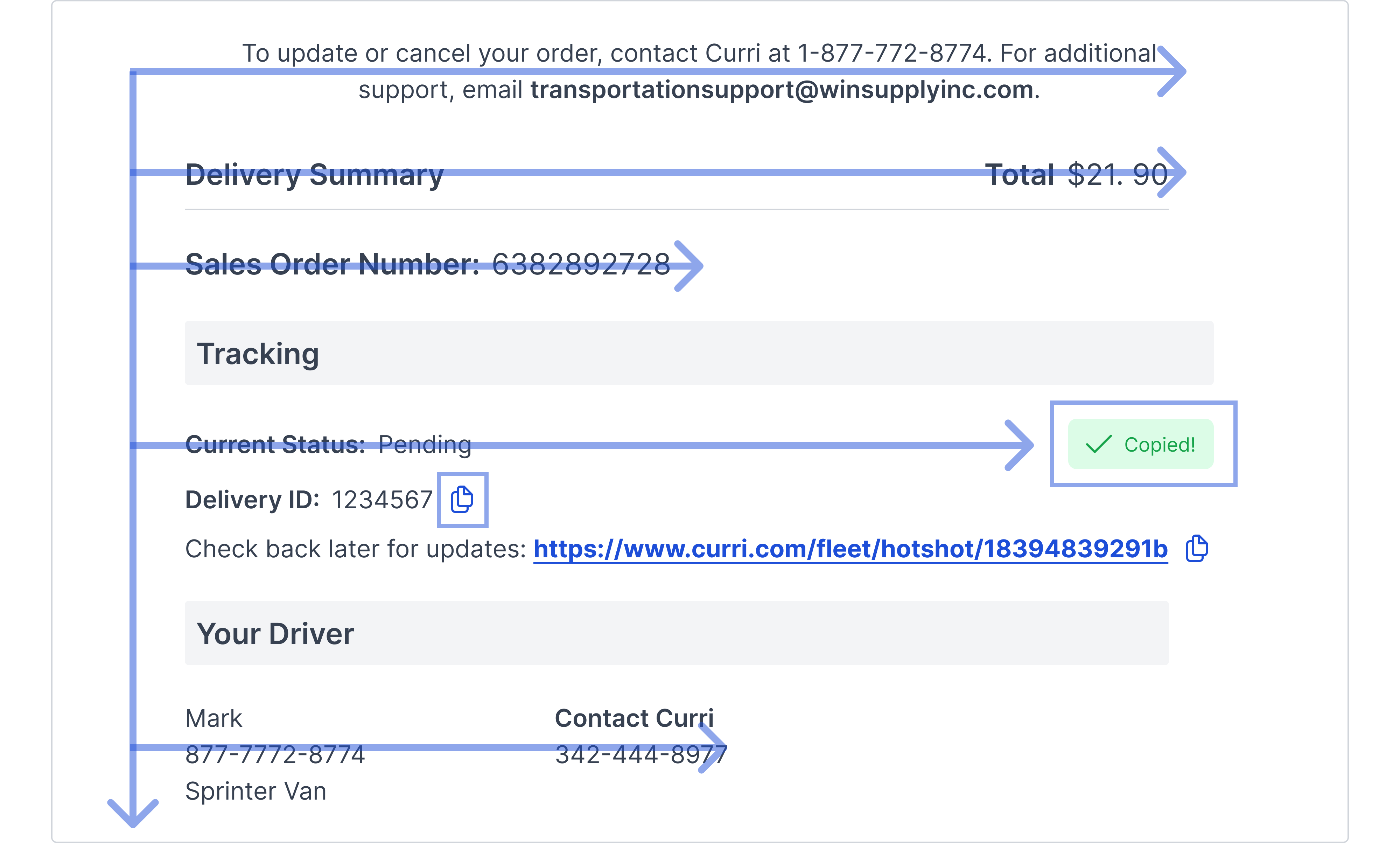
Consider eye tracking patterns and how a user will follow an inline message paired with the surrounding content. In the example below, the delivery summary is in an F pattern. Once the user clicks on the copy icon to copy information, their action is confirmed by placing the inline message to the right of the icon.

Example Three

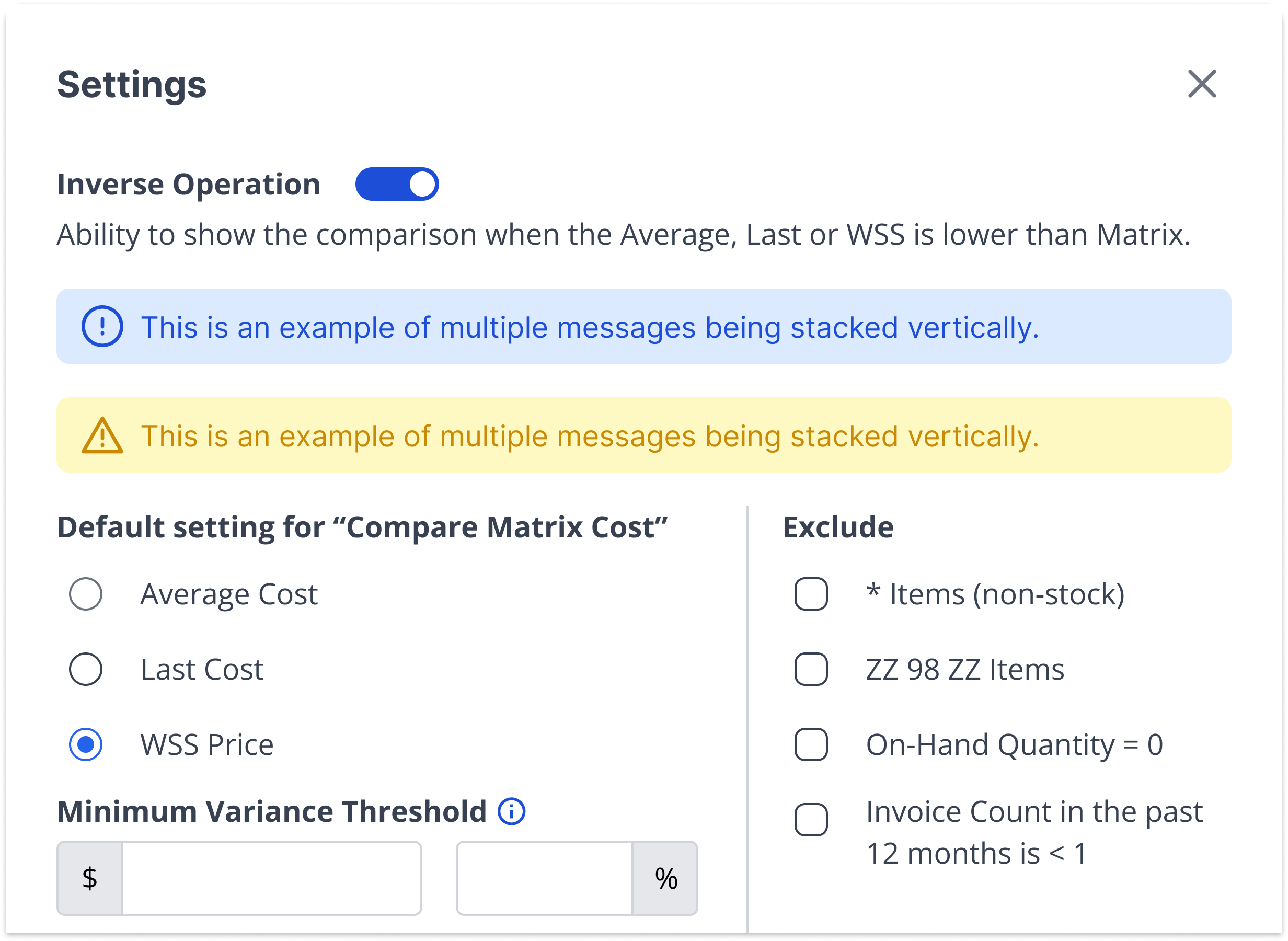
Multiple messages may be used at once, but use them only for high-priority communication to decrease risk of alert fatigue and distraction. If more than one static message is needed, stack them vertically. If more than one inline message is needed, stack them vertically unless they are relevant to different areas of content.

Example Four

Messages should not exceed two lines of text. Preferably, keep message content concise and to one line of text.

Winsupply Standards

Testing Demo
Test
testing content here testing content here
Right Aligned Numbers
$21,344.00 |
Numbers in a table like cost, quantity and price are right aligned inside of a table.
Date Format
00/00/2024
Across all domains, the date format should be listed in this way to ensure consistency.
Left Arrow
Right Arrow

Incorrect Usage

Example One

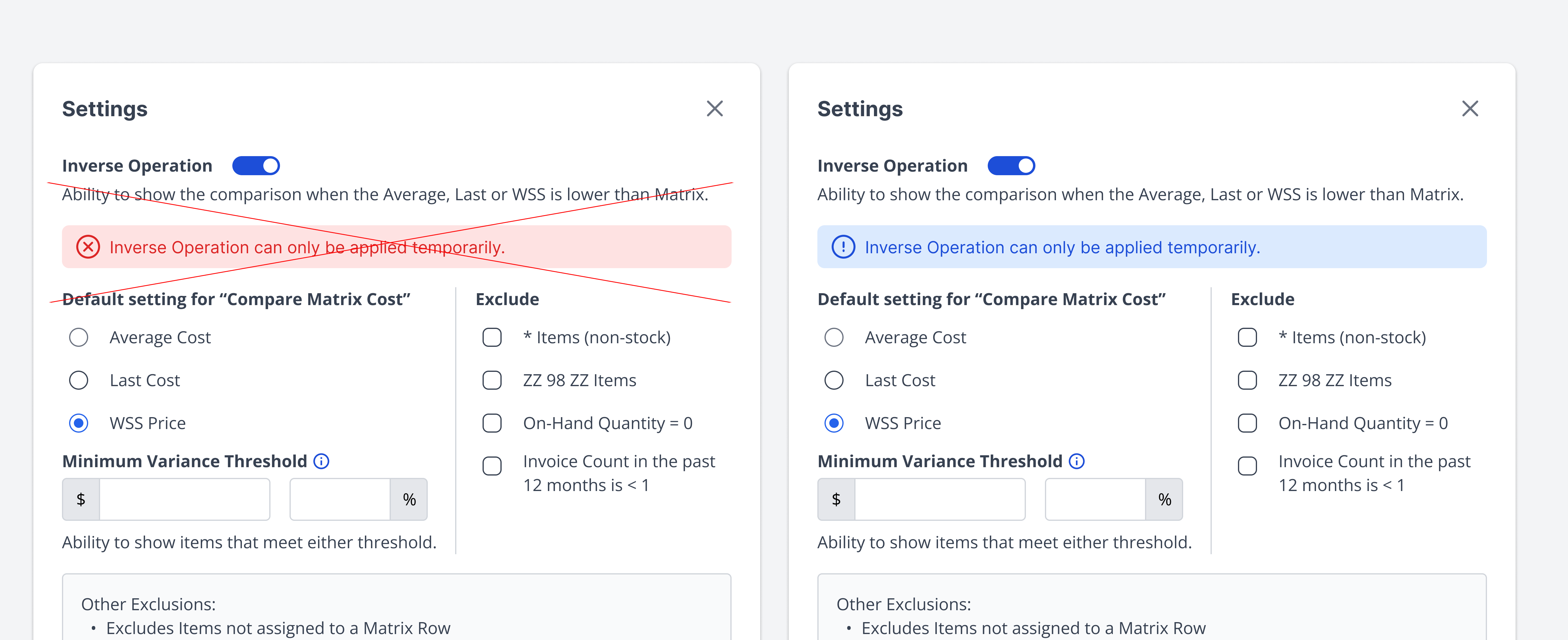
Using the wrong severity for the intended message. Based on the surrounding content and the user's action (turning on the input switch), the message is informational and not an error the user committed.

Example Two

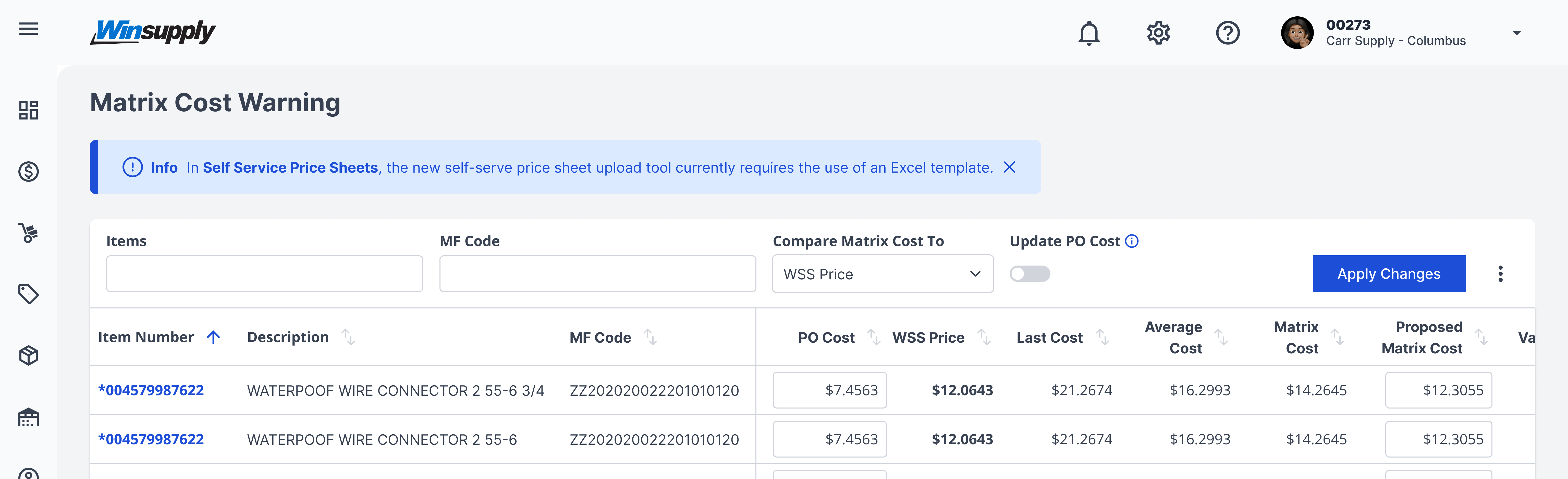
Message is irrelevant to surrounding content. The message below contains a message addressing information in a different application than what the user is currently viewing.

Example Three

Placing a button within a message container.

Example Four

Variants

Inline

Sizing

Static messages: Max height: 74px, Max width: 1384px

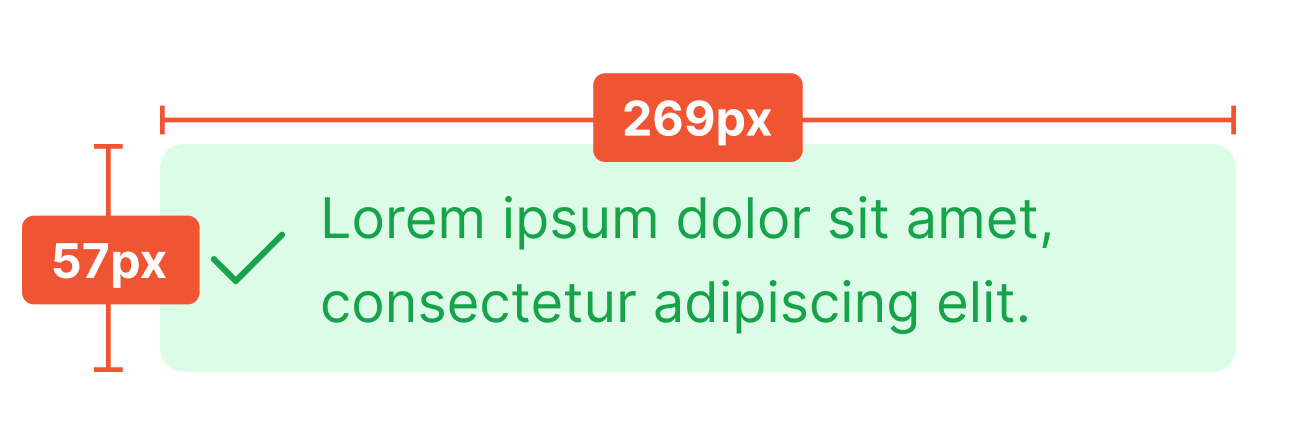
Inline messages: Max height: 57px, Max width: 269px

Applications In Use

No items found.