


components
Paginator
Display content in paged format

Purpose
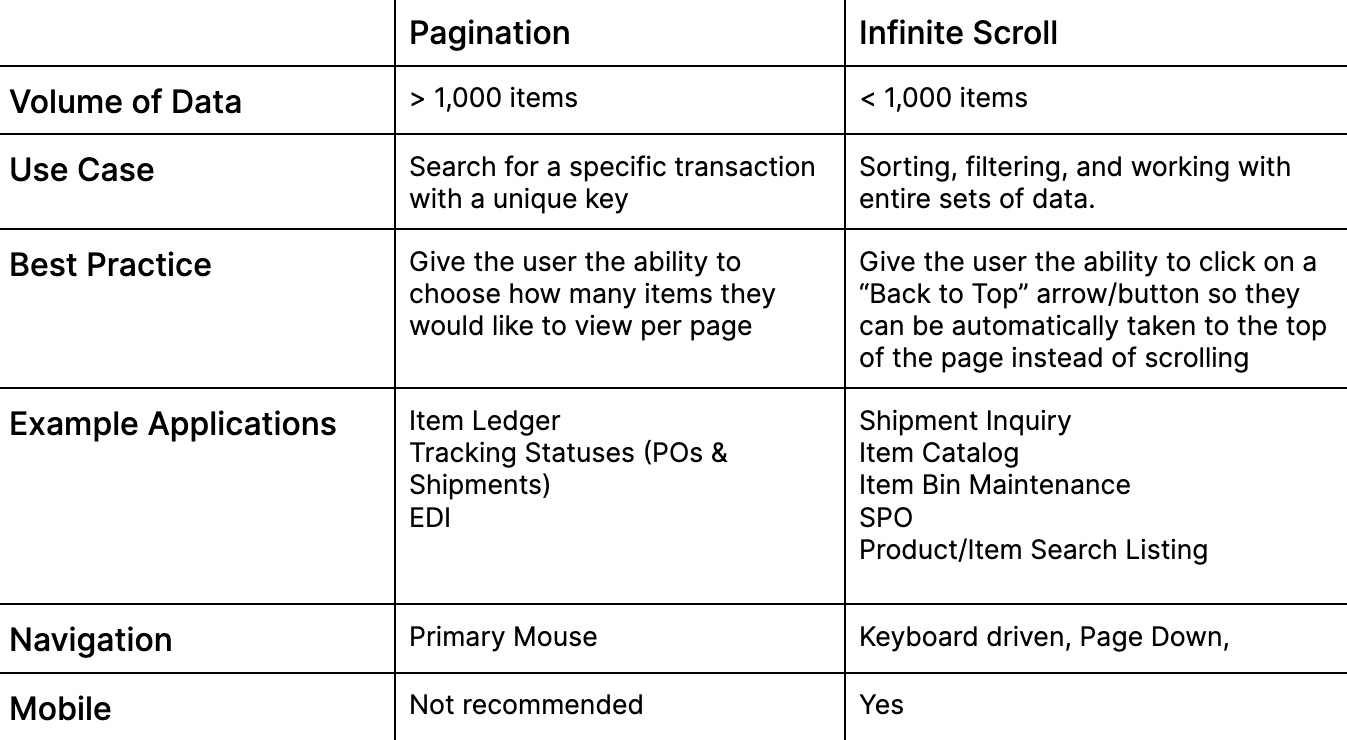
Paginator displays content in a paged format, enabling navigation between pages. The user can choose how many items they want to be displayed per page.
Usage
When to use
- Data has a volume greater than 1,000 items
- Content does not fit on a single page
- Searching for a specific transaction with a unique key
When not to use
- Data has a volume less than 1,000 items
- Content fits within a single page
- Sorting, filtering, and working with entire sets of data
Video Recap
Best Practice
Example One
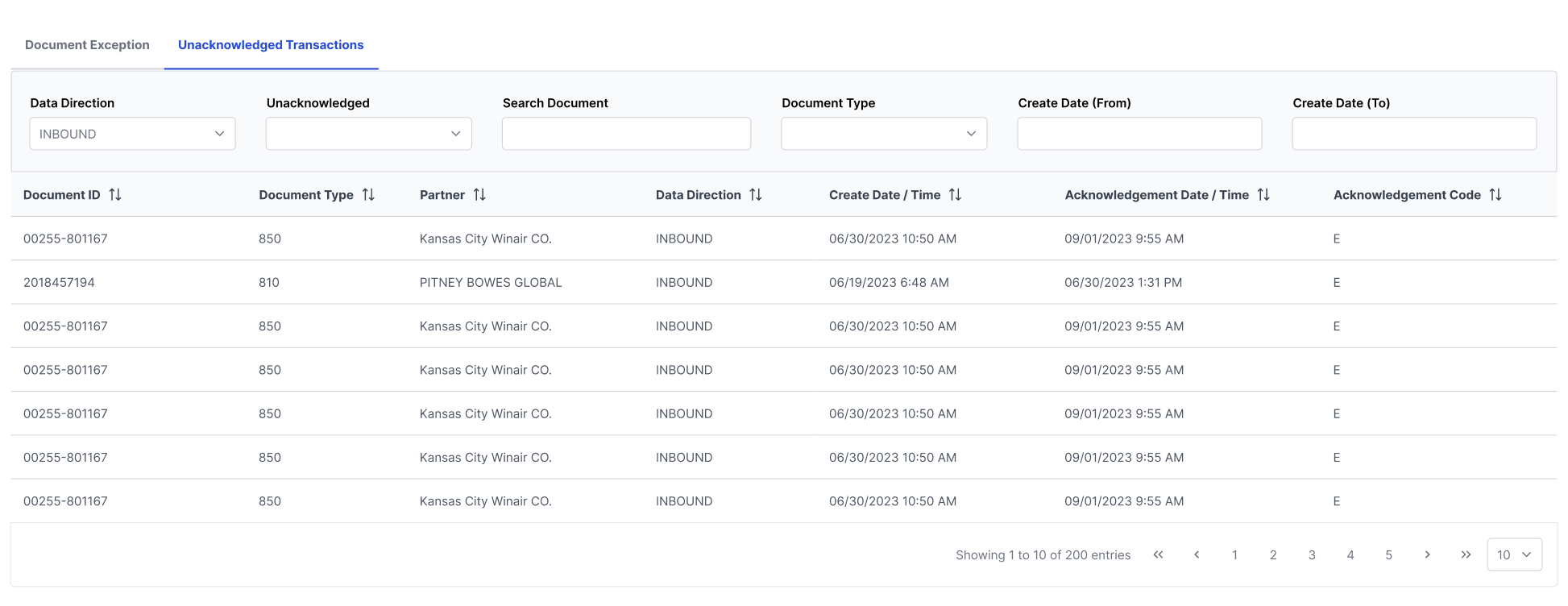
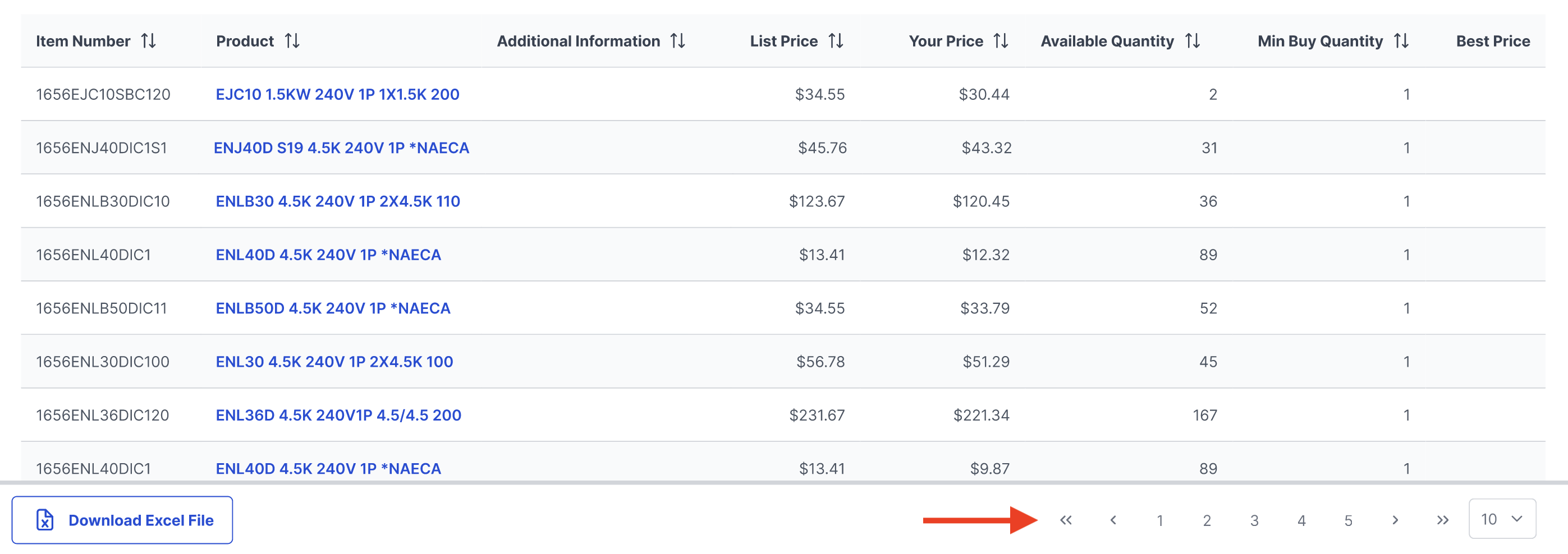
Paginator is nested on the bottom right of a table.
Example Two
A highlight state on the correct page number helps the user keep track which page they are on in the sequence.

Example Three
If spacing allows, include how many total items are in the set of data.

Example Four
Winsupply Standards


Incorrect Usage
Example One
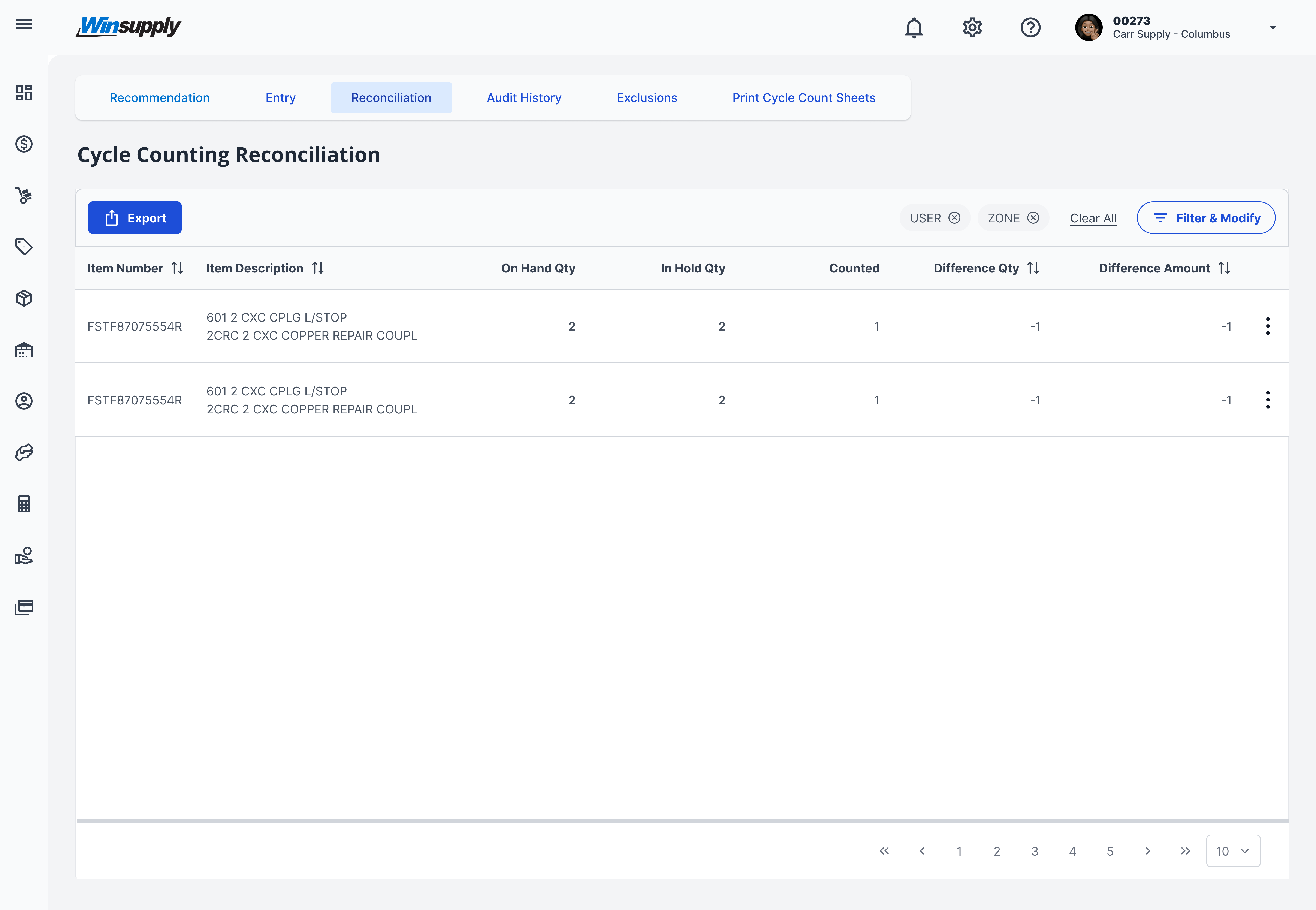
All content fits within a single page.
Example Two
Example Three
Example Four
Variants
Sizing
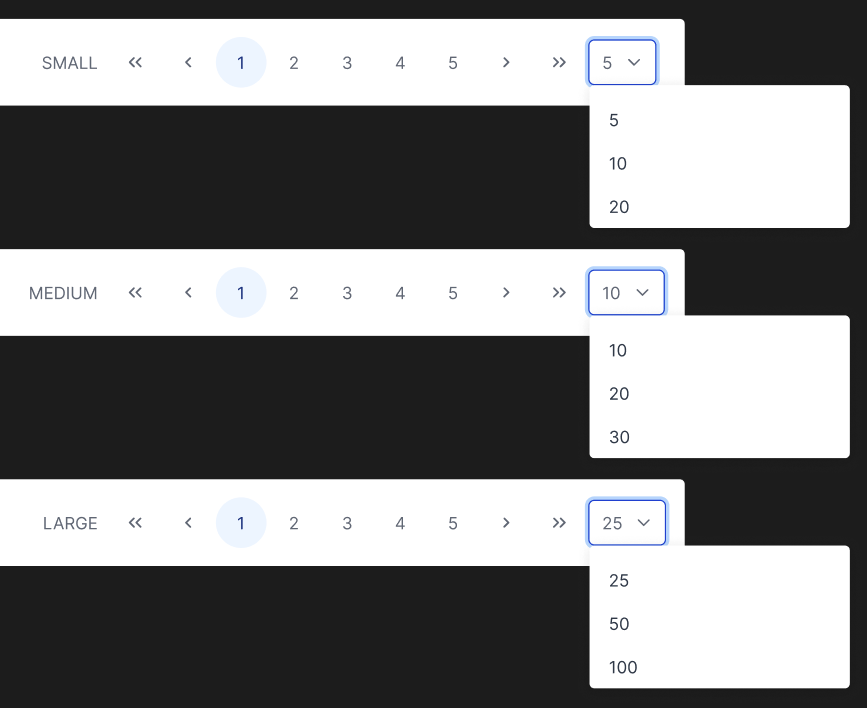
The dropdown containing the number of items displayed per page comes in three sizes: small, medium, and large. The size depends on the amount of data the user must page through. For example, if the data set contains 50 items, use the small dropdown within the paginator.
Applications In Use
No items found.